Where did this download come from?
A Downloads folder fills up with files that all look alike. Branchway shows which site sent each one, groups them by source, and lets you search by it.
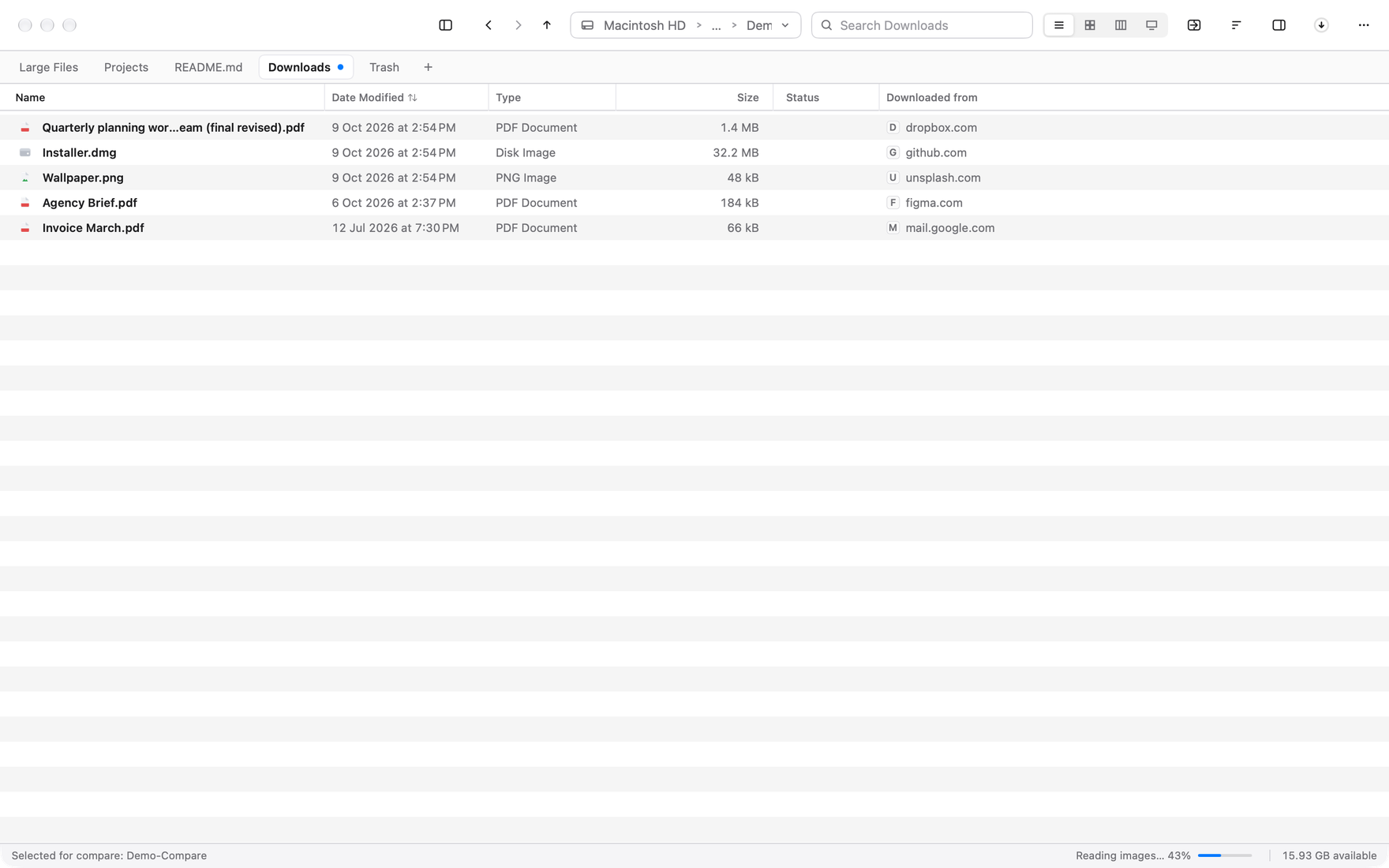
Open your Downloads folder and read the names. report-final.pdf, invoice-3.pdf, setup.dmg, export (2).csv. Each one made sense the day it arrived. A week later they are a pile, and the question is always the same. Where did this come from, and do I still need it?
macOS already knows. When a browser saves a file, the system records the page it came from along with the file. Finder keeps that record but does not show it anywhere you would look. Branchway reads it and puts it in the listing.
A column that answers the question
In Downloads, Branchway shows a Downloaded from column, switched on by default there and available in any other folder from the column menu. Each row names the site. A file that arrived from your bank’s site says so. A disk image from a vendor’s download page says so. The pile turns back into a list you can read.
Copying or moving a file keeps its source, so the answer does not vanish when you tidy the folder.
Group by source
When the column is not enough, use Group By and choose Source. The folder splits into one section per site, newest site first. Everything from one place sits together, which makes it easy to see that a site sent you several versions of the same file, and to keep the last one.
Back to the page
Right-click a file and two commands appear. Copy Download Link puts the original address on the clipboard. Open Download Page takes you back to the page you got it from, which is usually where the newer version lives.
Search by where it came from
In the search box, type from: and a site name. Every file from that site is listed, wherever it sits now. The Search page has the same thing as a From chip, so you can combine it with kind, date and size.
What this is not
Branchway reads a record the system already wrote. It does not watch your browsing, and it does not send anything anywhere. If a file has no record, because it came from a USB stick or an app that does not write one, the column is simply empty.
Branchway is a file manager for Mac, macOS 14 or later. The trial is 14 days with every feature, and browsing, search and preview stay free after it. Meet Branchway, or read the search help page.