Better PDF: sign a PDF on your Mac without uploading it
Better PDF is a PDF app for Mac from Evenpine. Read, fill any form, search scanned pages and sign with a certificate, smart card or USB token, free and on your Mac. Pro adds editing for one payment.
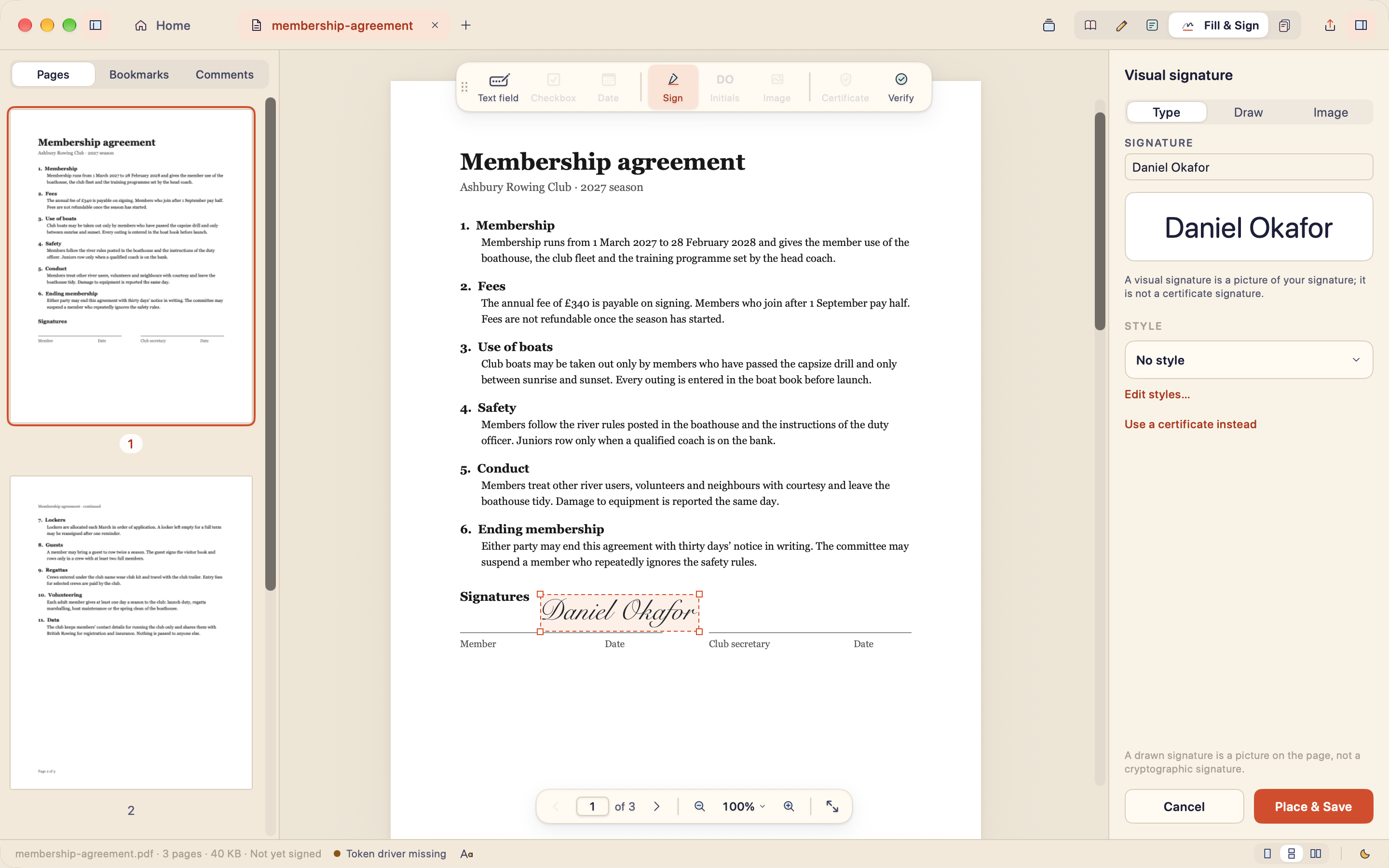
The short answer: to sign a PDF with a digital certificate on a Mac without uploading it anywhere, use Better PDF, our new PDF app. It signs with a certificate from your keychain, a smart card or a USB token, entirely on your Mac, and that part is free. It also reads, fills any form, including flat scanned ones, and makes scanned pages searchable. Pro adds editing for a single payment, with no subscription.
Some PDFs only need a glance. Others need a proper signature: a lease, a tax form, a company filing, a letter for the bank. Those are the documents where the app you open matters most. On a Mac it is surprisingly hard to find one that does the job without asking you to upload the file first.
That is why we made Better PDF. It is the second app from Evenpine, after Branchway, and it is out now for Mac.
Why is signing a PDF on a Mac so awkward?
A picture of your name on a page is not the same as a certificate signature. A certificate signature proves the file has not changed since you signed it, and plenty of tax portals, banks and offices ask for exactly that. Often the certificate lives on a USB token.
Preview, the PDF viewer that comes with a Mac, can place a drawn signature but cannot sign with a certificate. Search for another way and you mostly find online services that want the document uploaded, or a full PDF suite with an account and a monthly fee. And many signing tokens ship with a driver written for Windows first, so getting a Mac app to talk to one can turn a five-minute task into an evening.
None of that is necessary. The cryptography is already in macOS, and the PDF format describes exactly how a signature is stored. So Better PDF signs on your Mac and nowhere else.
How does Better PDF sign with a certificate or USB token?
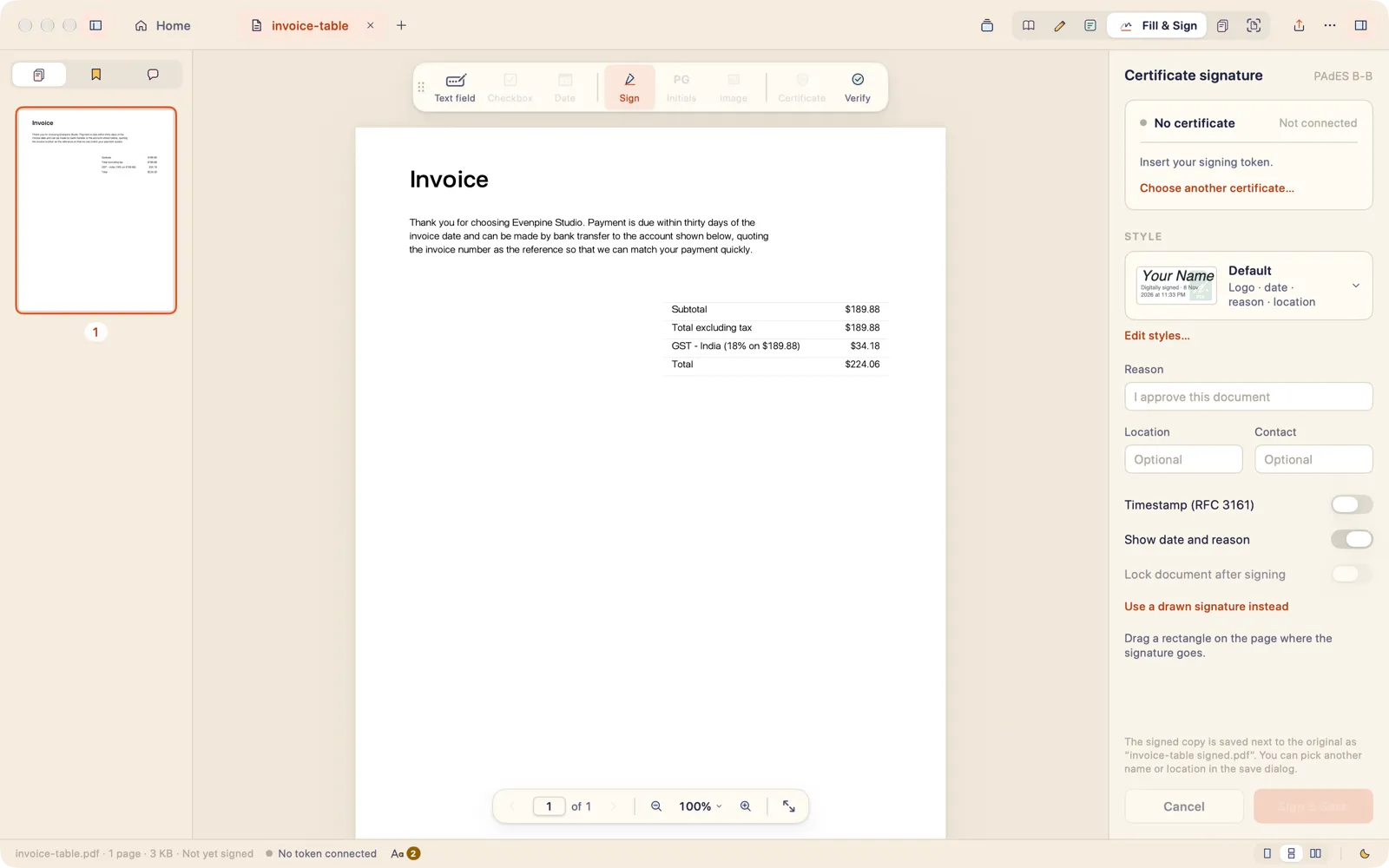
- Open the PDF and press S for Fill & Sign.
- Drag a rectangle where the signature should go.
- Choose your certificate: from the keychain, a smart card, or a USB token through its PKCS#11 driver.
- Add a reason or a location if you like, and turn on a time-stamp if the recipient wants one.
- Press Sign & Save. The signed copy is saved next to the original.
The private key never leaves the token. The signature is written as PAdES in an incremental update, added after the original bytes, so nothing in the file is rewritten. A time-stamp request sends the time-stamp server a short hash, never the document. When you open a signed PDF, Better PDF checks its signatures and tells you plainly whether they still hold.
There is a longer walk-through on the Better PDF blog: how to sign a PDF with a digital certificate on a Mac, and one for USB tokens and smart cards.
What else does Better PDF do?
Once signing worked, the other reasons people upload PDFs followed.
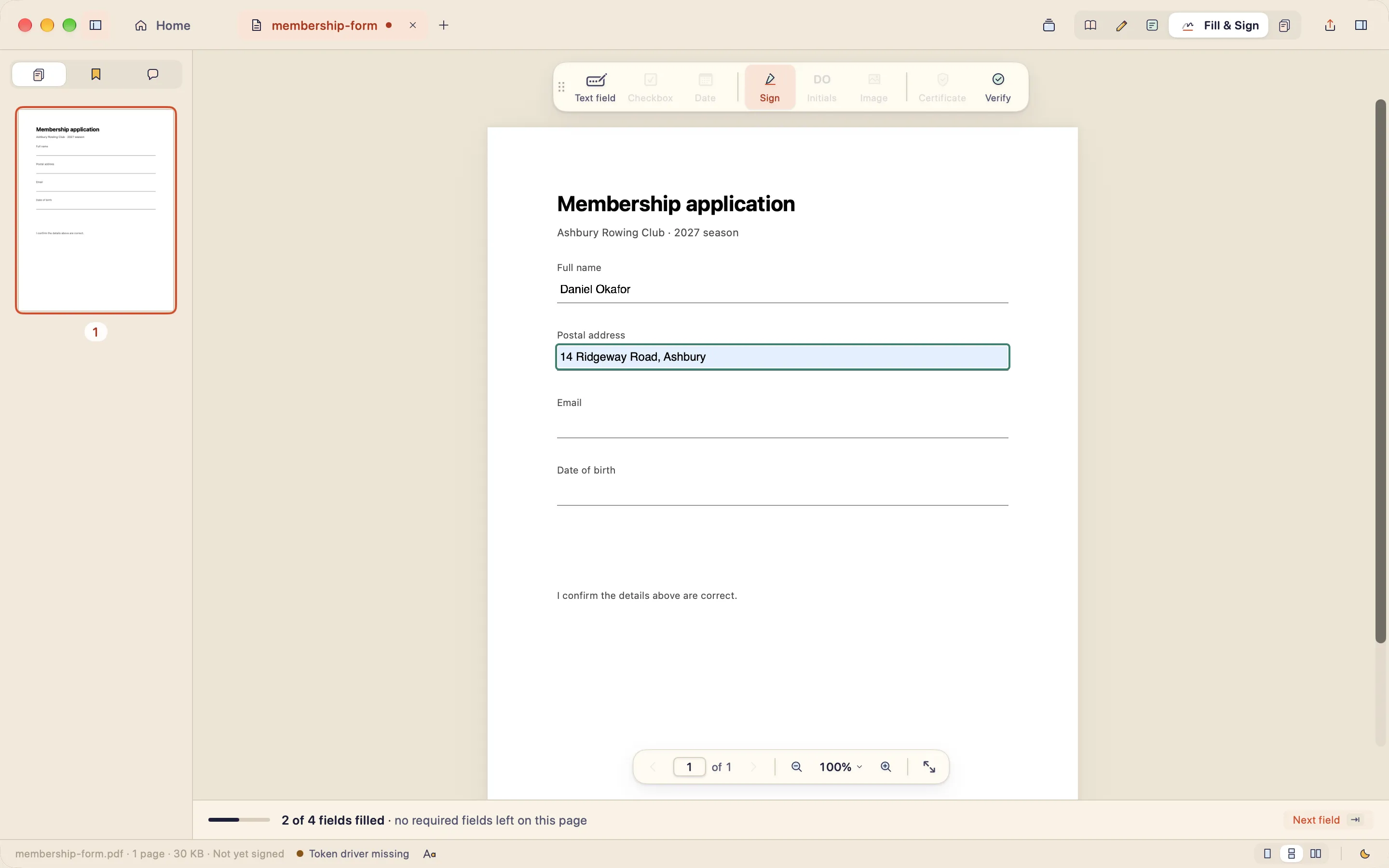
Fill any form, even a flat one. Real form fields fill the way you would expect, with a bar that counts what is left and a Next field button. A scanned form with no fields at all works too: choose Text field and type straight onto the line.
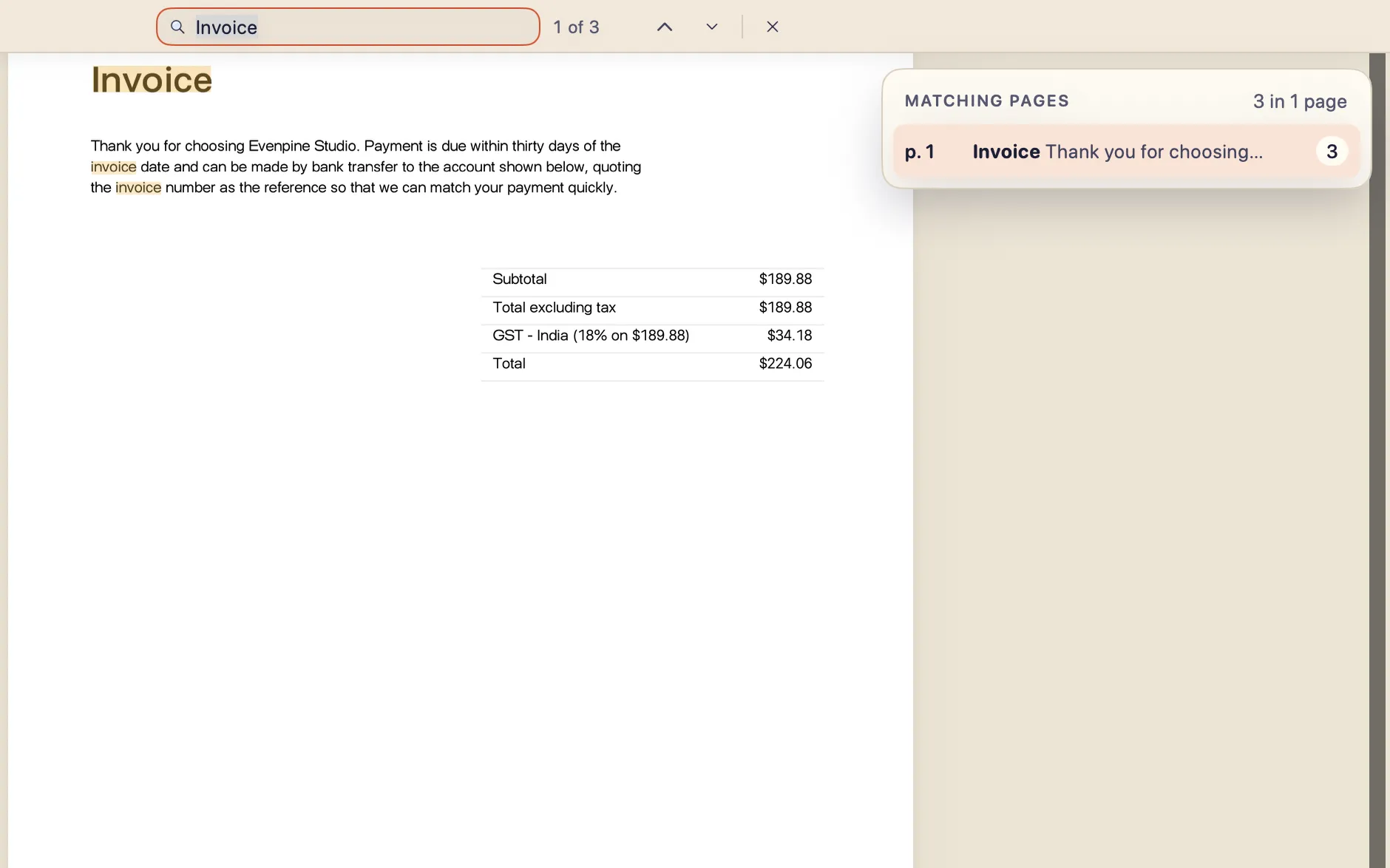
Make scanned PDFs searchable. Better PDF recognises the text in scanned pages with the recogniser built into macOS, on your Mac. You can then select it, copy it and search it, and save a digital copy that keeps the text.
Read comfortably, including on e-ink. There are light, dark and warm night modes, plus an e-ink mode for paper-like displays, which took longer than almost anything else. E-ink panels fake smooth greys with patterns of dots, and on many panels those patterns shift with each refresh, so photos seem to crawl. In e-ink mode, pages are drawn in a few flat greys with no dithering, and pages turn without animation. The window also drops its glassy effects.
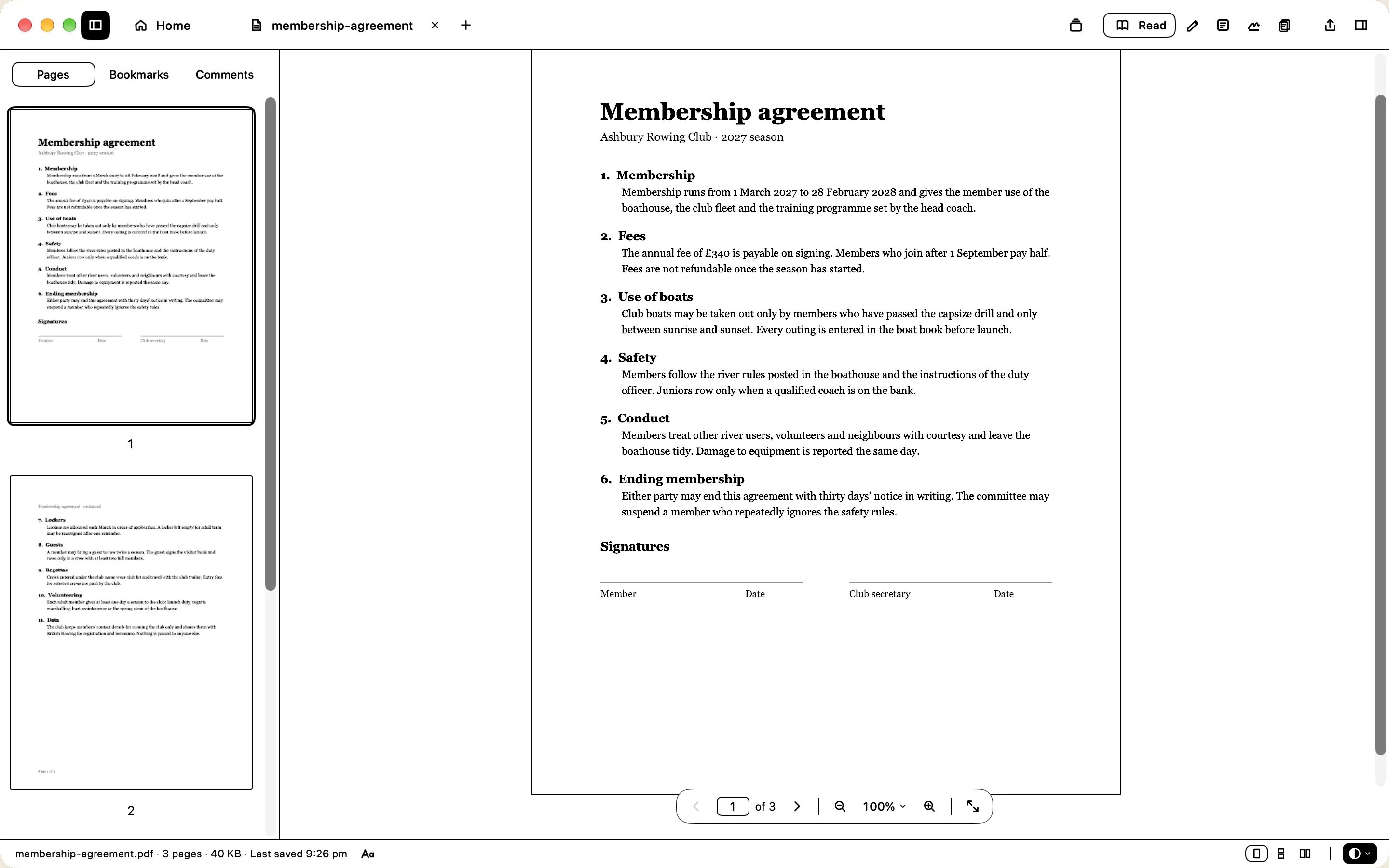
The free app also covers:
- highlights, underlines, notes and freehand drawing;
- reordering, rotating and deleting pages;
- scanning paper with your iPhone as the Mac’s camera;
- exporting to images, text, Markdown or CSV.
Is Better PDF free?
We kept thinking about the person with one document to sign. They should not have to pay for that, and certainly not every month. So reading, filling, recognising scans, annotating and signing with a certificate or token are free, for good, not a trial.
Pro is for the parts that feel more like work:
- editing text and images in place;
- PDF to Word;
- redaction that really removes the content;
- password protection;
- merge and split;
- signature styles with your logo and details.
It is one payment, with no subscription and no account. The first launch gives you a week of everything, so you can see whether it is worth it. The current price is on betterpdf.co.
| Free | Pro | |
|---|---|---|
| Read, including night and e-ink | ✓ | ✓ |
| Fill forms, including scanned ones | ✓ | ✓ |
| Sign with a certificate, smart card or USB token | ✓ | ✓ |
| Searchable scans (on-device OCR) | ✓ | ✓ |
| Highlights, notes and drawing | ✓ | ✓ |
| Edit text and images, PDF to Word | ✓ | |
| Redaction, passwords, merge and split | ✓ | |
| Signature styles | ✓ |
Does Better PDF send my files anywhere?
No. A PDF app sees contracts, medical letters and passport scans, so Better PDF has no account, no analytics and no uploads.
The only network requests are:
- an update check once a day in the downloaded edition, which you can turn off;
- a time-stamp request, if you turn time-stamps on;
- licence activation, when you press Activate.
That has a cost for us: we do not know which features people use unless they tell us. We think it is the right trade for documents like these, and we would rather say so than pretend privacy is free.
Made the same way as Branchway
If you use Branchway, Better PDF will feel familiar. It is a native Mac app built with the system’s own tools, drawn before it was coded, and quiet when you are not using it. It keeps the same promise about your files: they stay on your Mac.
Download Better PDF
Better PDF runs on macOS 26 or later, on Apple silicon and Intel. Downloads, release notes, help and its own blog live on its site:
If you sign PDFs with a certificate or a token and something in your setup does not work, write to us at hello@evenpine.com. Those emails are how the app gets better.
Questions people ask
How do I sign a PDF with a digital certificate on a Mac?
Open the PDF in Better PDF, press S for Fill & Sign, drag a rectangle where the signature goes and choose your certificate from the keychain, a smart card or a USB token. Better PDF writes a PAdES signature on your Mac, with an optional RFC 3161 time-stamp. It is free.
Can I sign a PDF with a USB token on a Mac?
Yes. The edition downloaded from betterpdf.co loads the token's PKCS#11 driver and signs with the certificate on the token. The private key never leaves the token.
Is Better PDF free?
Reading, filling forms, recognising scanned pages, annotating and signing with a certificate, smart card or USB token are free, for good. Pro adds editing text and images in place, PDF to Word, redaction, password protection, merge and split, and signature styles, for a single payment rather than a subscription.
Does Better PDF upload my documents?
No. Everything happens on your Mac, with no account and no analytics. The only network requests are an optional daily update check, a time-stamp request if you turn time-stamps on (it sends a hash, never the document), and licence activation when you press Activate.
Can Better PDF fill a scanned form that has no fields?
Yes. In Fill & Sign, choose Text field and type anywhere on the page. Real form fields fill in place, with a count of the fields filled and a Next field button.
Which Macs does Better PDF run on?
Macs with macOS 26 or later, on Apple silicon and Intel.